Project-centric orchestration
Group MCP servers by project and toggle them without manually editing JSON snippets for every client.
Stop duplicating configs across IDEs and clients. Route local and remote MCP servers through one embedded Go control plane with Market, knowledge base, health checks, and live inspection.
Transport and authentication support depend on the client version; verify an actual tool call.
 Ollama
 LM Studio
 Cursor
 VS Code
 Claude
 Codex
MCPBox brings control, security, and intelligence to your AI workspace.
Group MCP servers by project and toggle them without manually editing JSON snippets for every client.
MCPBox handles initialization itself, aggregates tools, resources, and prompts, then routes calls back to the right backend.
Health checks, audit logging, live inspection, and a clear project overview make it easier to understand why a client cannot see a server.
Use Market / Catalog to sync integrations from an external JSON manifest and attach them to projects quickly.
Connect Skill versions to projects, read instructions through MCP and run approved scripts in prepared Docker environments.
Local Bleve full-text search or optional external RagBox ingestion and retrieval.
Choose your path: build `MCPBox` from source for development or download a ready-to-run release.
Start `MCPBox`, create the administrator in the terminal and sign in at `http://127.0.0.1:38181/`.
Create a project and add local `stdio` or remote `HTTP streaming` servers.
Copy the project endpoint and connect Claude, Cursor, Codex, LM Studio, or a local Ollama workflow.
# download releaseMCPBox-macos-arm64# allow run if neededchmod +x MCPBox# start MCPBox./MCPBox# open in browserhttp://127.0.0.1:38181/Start with the public MCPBox documentation homepage.
Install, run, and connect MCPBox to AI clients.
Catalog, imports, bindings, Docker and file transfer.
Direct local connections; HTTPS, Funnel and OAuth for cloud access.
MCP integration catalog, local Bleve and optional RagBox.
Architecture, transport model, aggregation behavior, and operator surface.
Source code, releases, and project history.
Skills, refreshed workspace and upgrade notes.
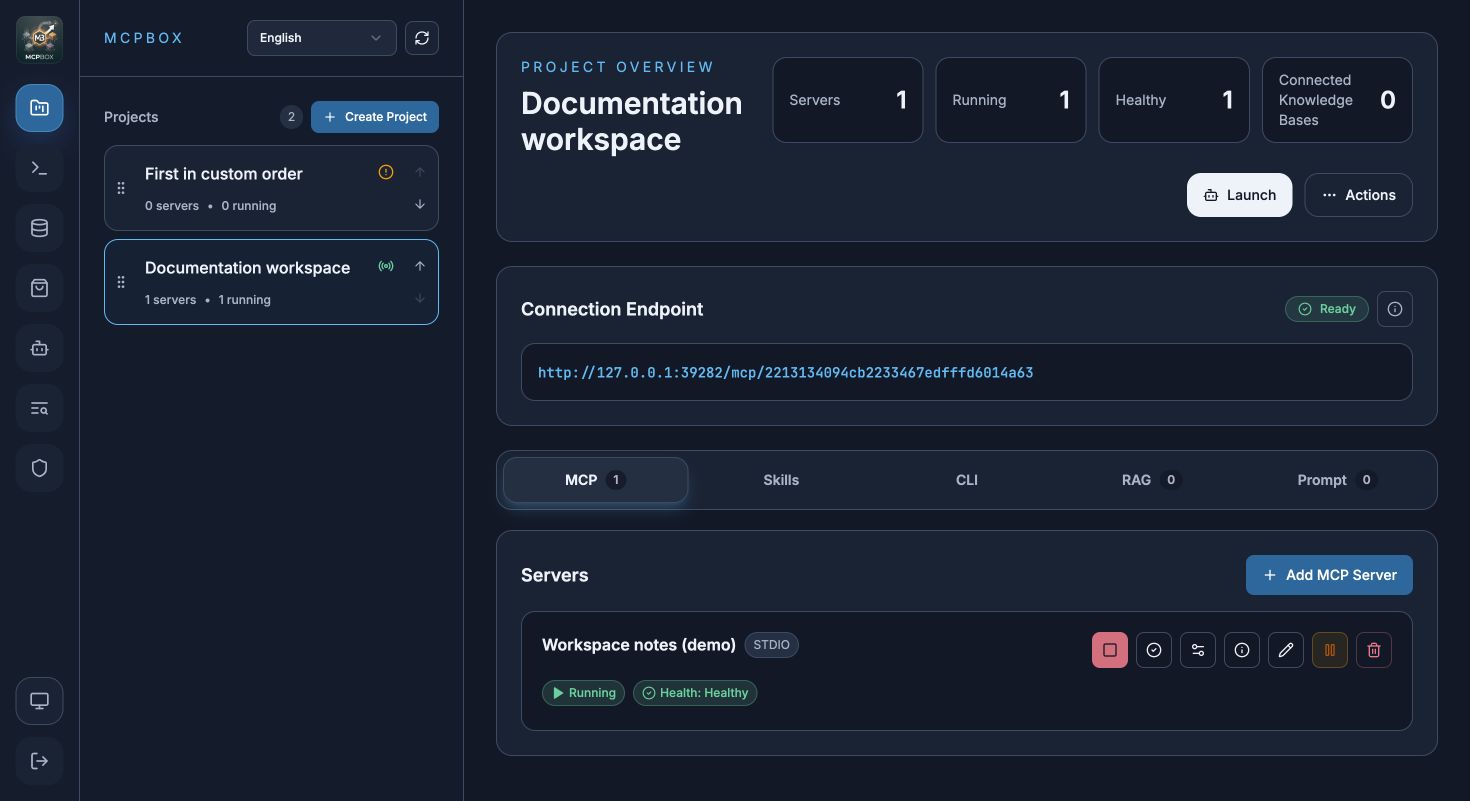
Fresh captures of current MCPBox in a separate demo installation: a running MCP server, Skills catalog and settings. Click an image to open it at full size.
Projects, server state, endpoint visibility, and key actions in one place.
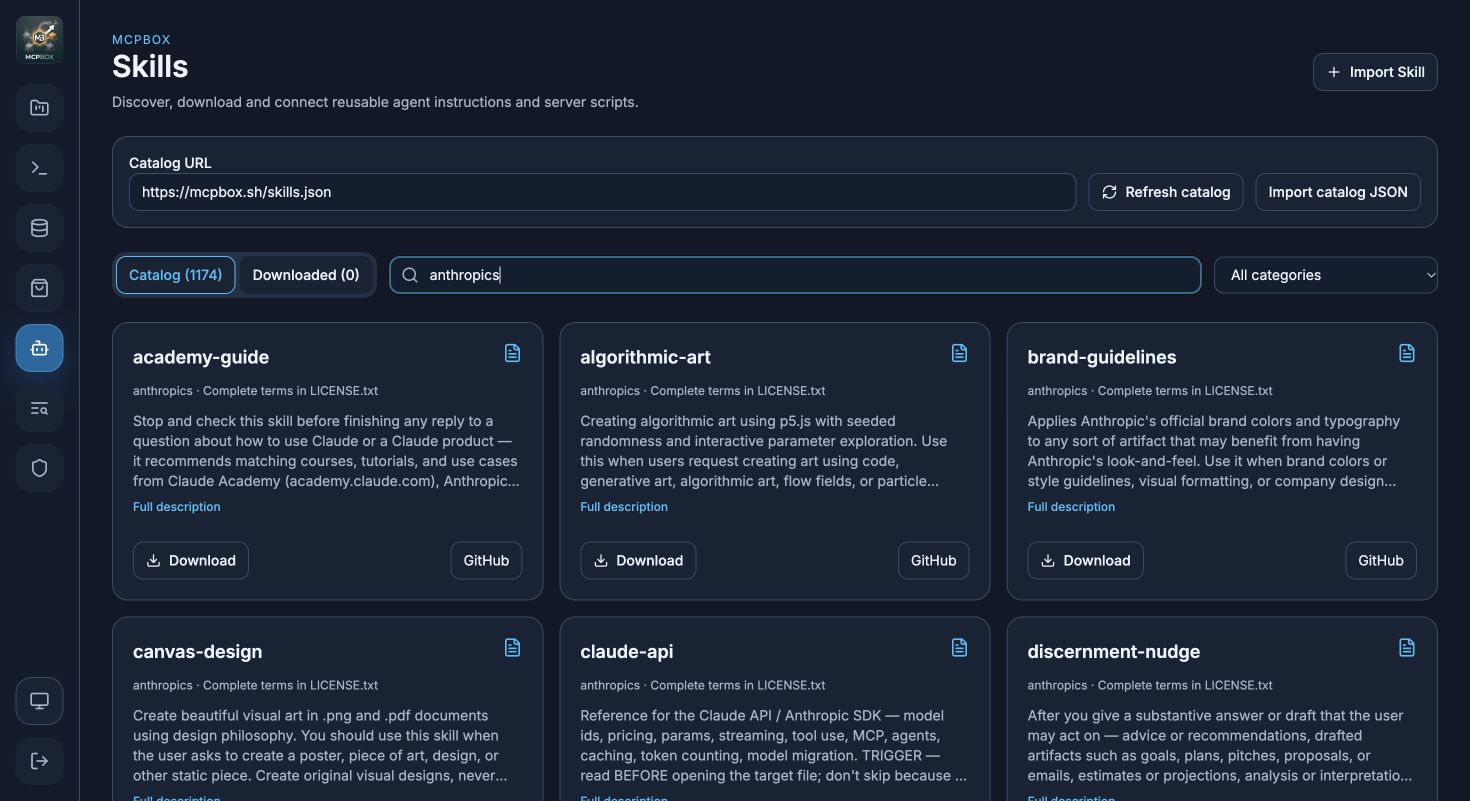
Search Skills, import packages and browse installed versions separately.
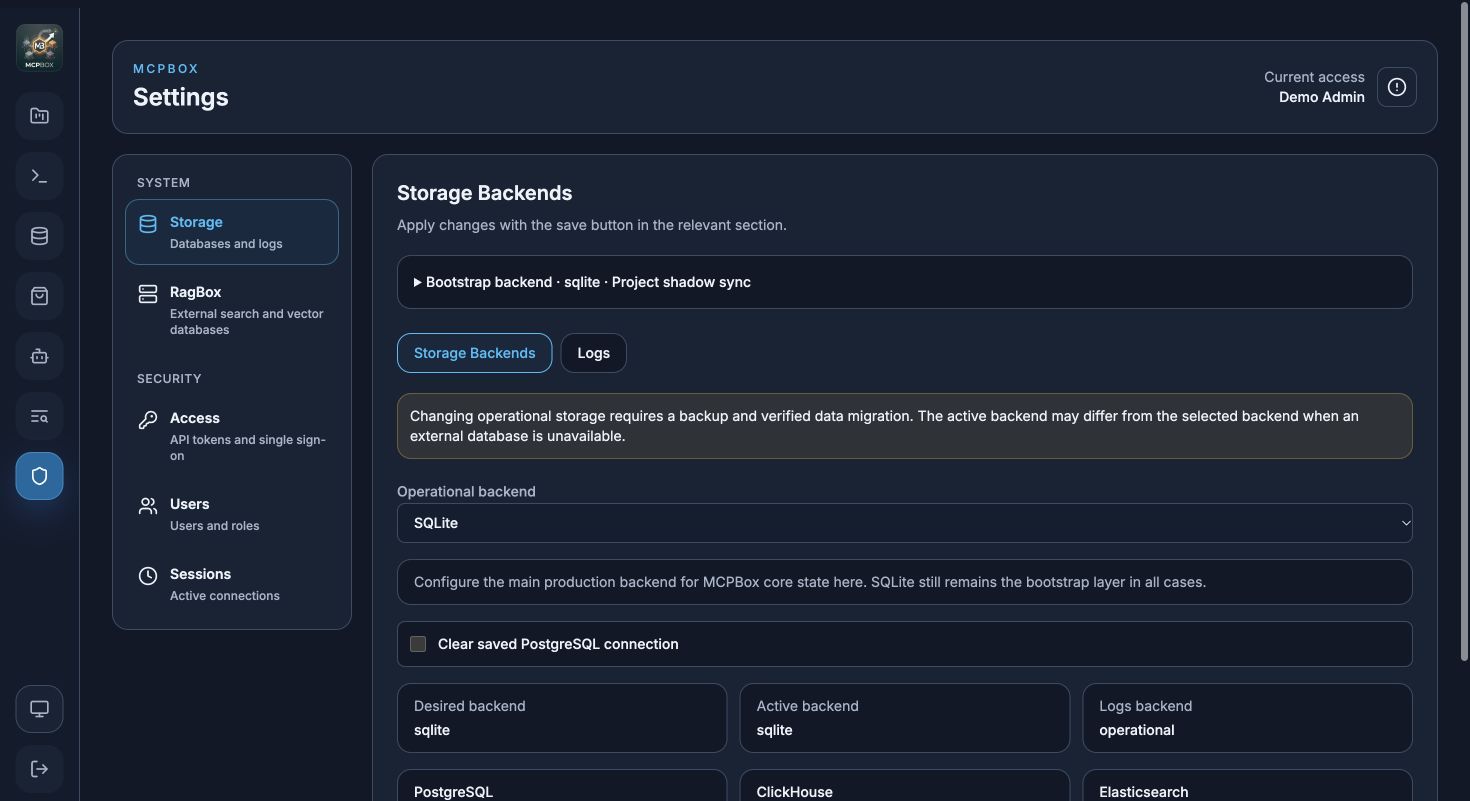
Storage and RagBox, users, authentication and active sessions.
The repository, documentation, and product overview now live on one page, so it is easier to present, onboard new users, and use as the main public entry point.